
Now: testing with a small group.
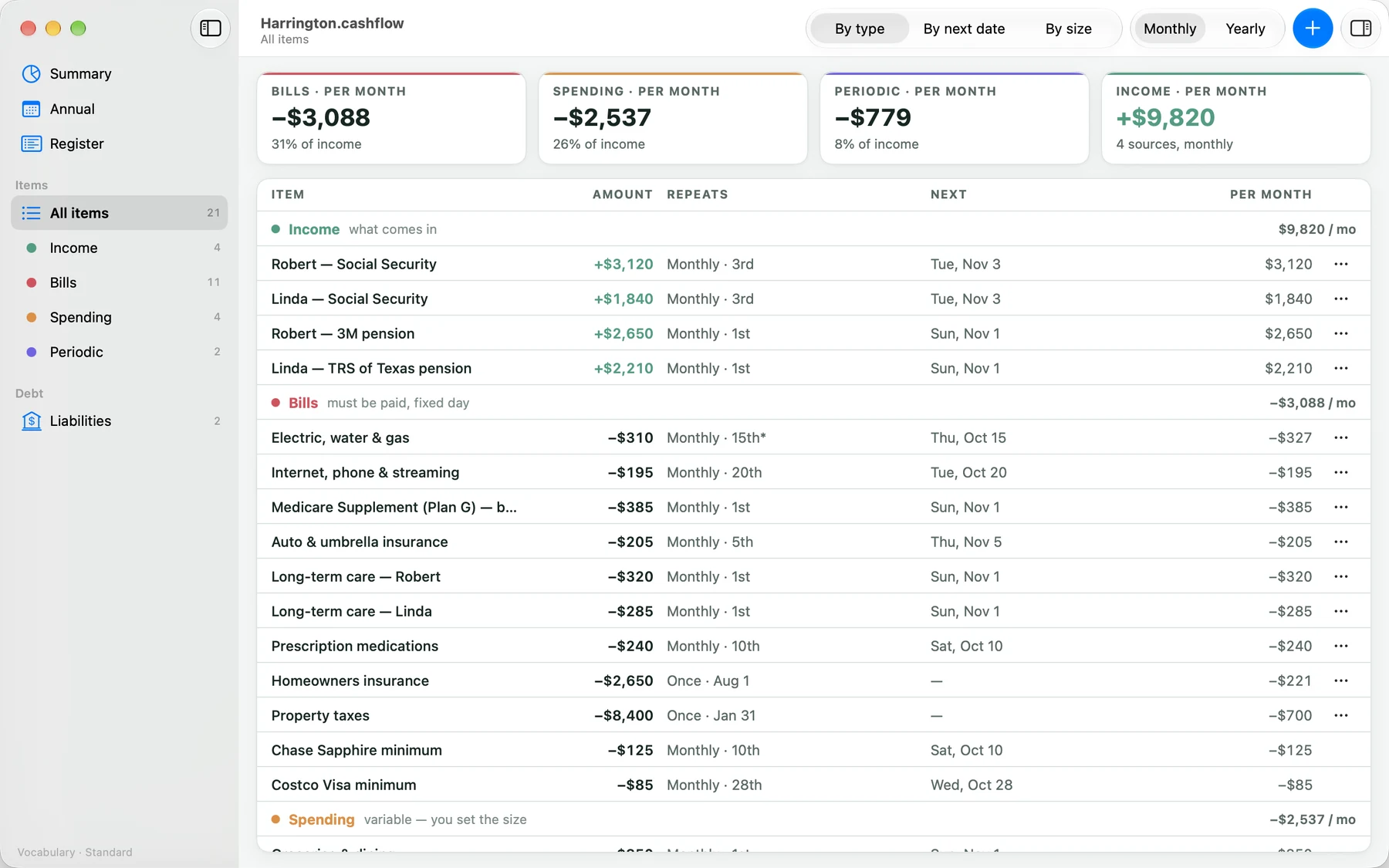
Your cashflow, item by item
- Add income, bills, spending and periodic budgets, each with how it repeats: weekly, every two weeks, twice a month, monthly, every three months, yearly, or on dates you pick.
- Change a single month without changing the rest.
- Retirement account distributions keep their gross, withholding and net.
See where it goes
- Summary: income, expenses and what’s left, by month and by year.
- Annual: the year as a diagram, month by month.
- Register: every amount by date with a running balance.
- Look ahead to another year from the top of any page.
Debts and payoff
- Liabilities: cards, loans and mortgages, with statements, payment changes and extra payments.
- Payoff dates and interest are estimates from the numbers you enter, not advice.
A file, not an account
- A
.cashflowdocument, opened from the Files app, iCloud Drive or a folder on your Mac. - Keep your cashflow in iCloud Drive and every one of your devices sees it. Share it with the people you budget with: from Files or the Finder, invite them and choose whether they can make changes. Everyone works on the same file, and the app reloads as others save. How to share it
- Choose the words: Standard, Household or Organization.
- No account, no sign-in, no server and no analytics. Nothing is collected.
Expanse Cashflow needs iOS 27, iPadOS 27 or macOS 27.